

How to stop spam in Gmail
Many times, Gmail users get a lot of promotional mails or unwanted mails from various brands in their inbox. When more and more spam mails accumulate in the inbox, it becomes very difficult to find important mails when needed. But if you want, you can get rid of this problem by blocking spam or unwanted mail-senders.
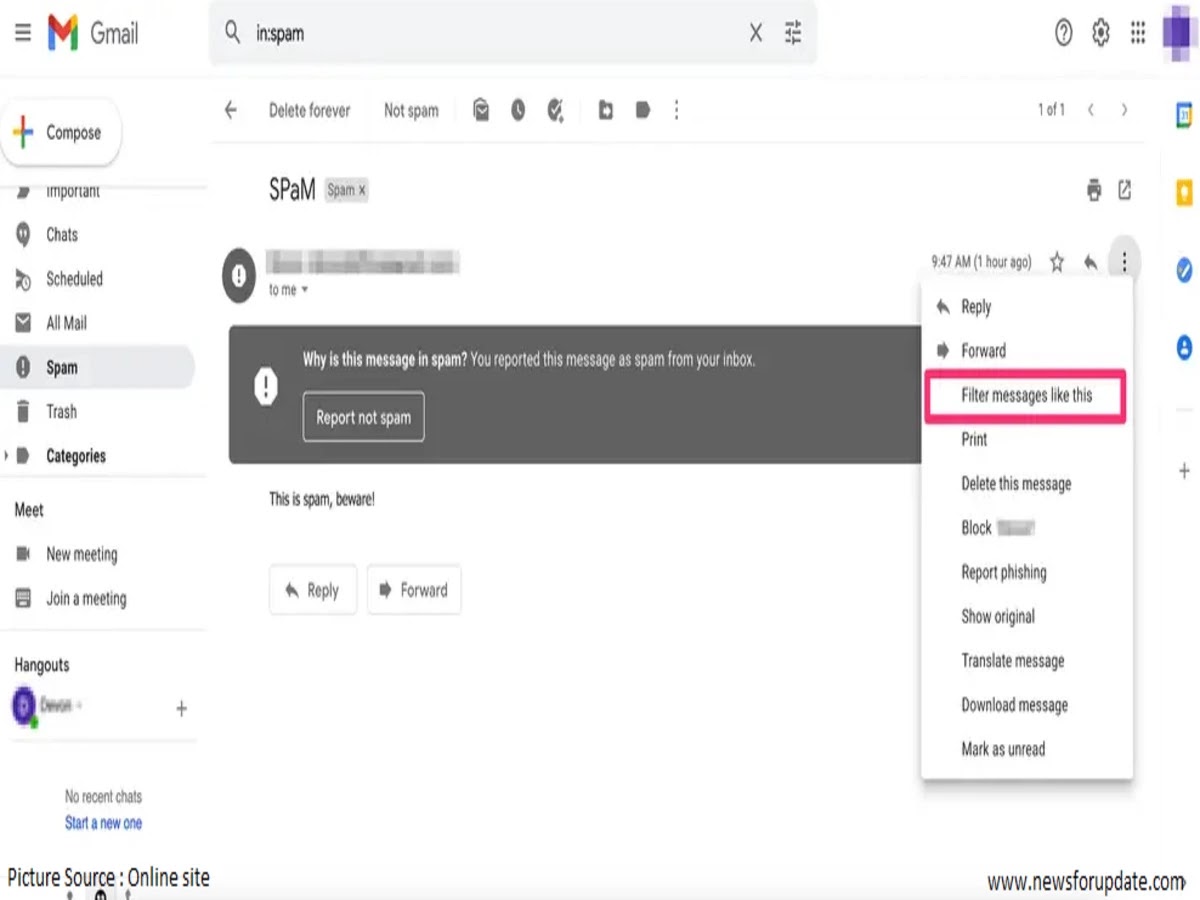
To block spam emails on the computer, first open Gmail and
open the mail considered as spam. Now, if you click on the vertical three dot
menus on the upper right side of the mail, several options will be available. A
pop-up message will appear when you select the sender (email sender name) from
the options. If you click Block now, no email will come from the address.
Similarly, spam or junk mailers can also be blocked on mobile phones or tablets running Android and iOS operating systems.
Mail addresses sending spam messages can also be reported to Gmail. For this, open Gmail and open the mail considered as spam. Now click on the vertical three dot menus on the upper right side of the mail and click on the Report Spam option.


 Hello, my name is Jack Sparrow. I'm a 30 year old self-employed Pirate from the Caribbean.
No comments:
Post a Comment